Retail systems guide
Which Shopify inventory sync approach fits your store?
The best option is the least complicated one that handles your real stock events, failure cases and team capacity.
01First decide what owns stock
Choose one system of record for available quantity. Every connection then needs a clear direction, trigger and conflict rule.
If a shop-floor sale, online order and manual adjustment can all change the same SKU, “two-way sync” is not a complete specification. You need to know which event wins, how quickly it propagates and what happens if one side is unavailable.
02Four common approaches
| Approach | Best when | Watch for |
|---|---|---|
| Native platform | Shopify is the main system and native locations/POS cover the operation. | Do not add middleware just to recreate a feature you already own. |
| Connector app | A supported POS or marketplace pairing has a mature, maintained connector. | Field limits, location mapping, support quality and pricing by volume. |
| Middleware | You need controlled logic across several APIs without operating a full custom service. | Task limits, retries, duplicate handling, credentials and monitoring. |
| Custom integration | Business rules or volumes exceed supported connectors and justify engineering ownership. | Maintenance, API changes, observability and recovery expertise. |
03Shopify, Loyverse and Make.com
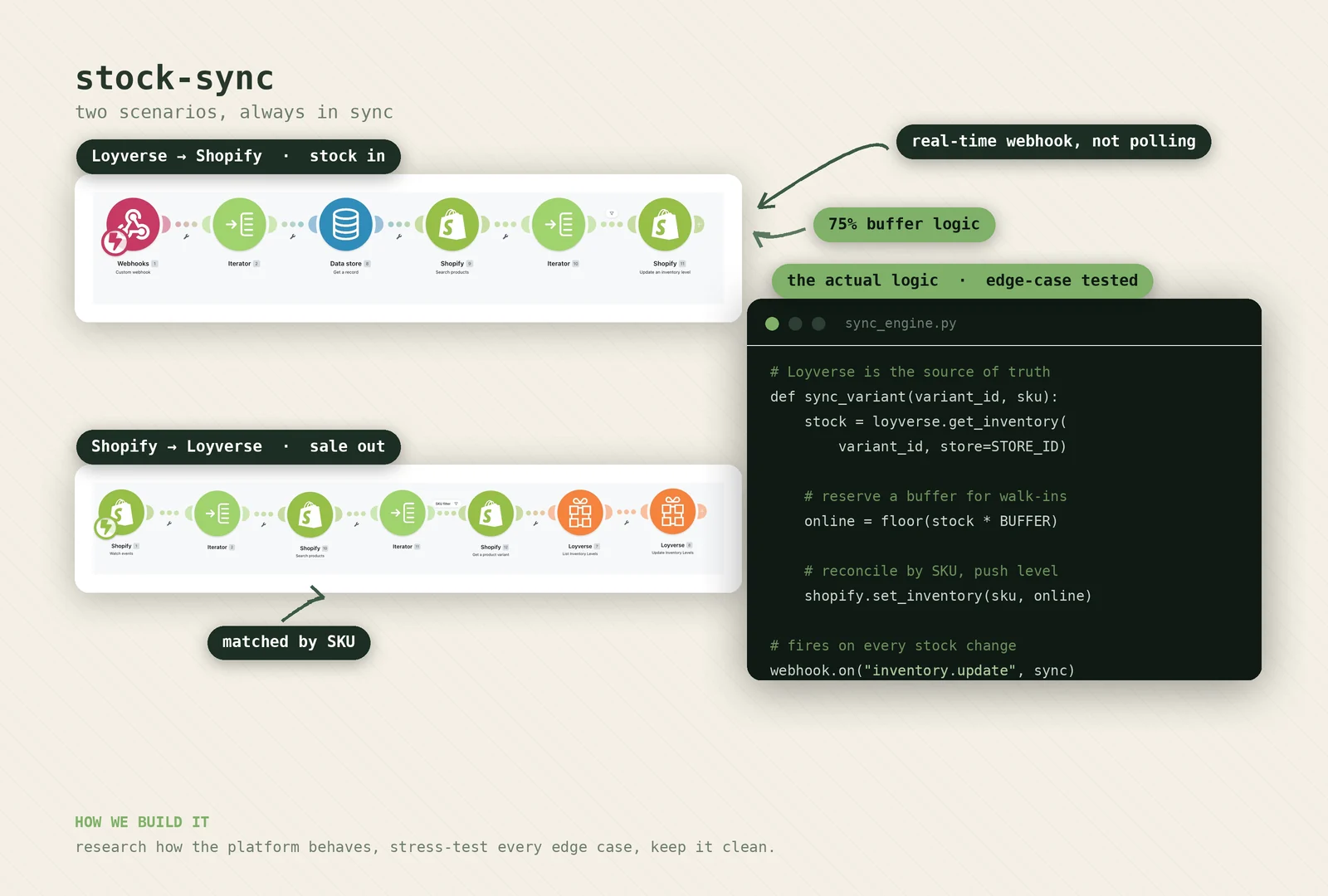
Mileo's published example uses Make.com to connect Shopify and Loyverse for Lionhead Moto. It maps product variants and reconciles inventory events. The project also included a Klaviyo welcome flow that was designed, built and activated. That architecture is evidence for this exact implementation, not a claim that the same stack is automatically right for every retailer.
04Questions before choosing
- Do all variants have unique, stable SKUs in every system?
- How do sales, refunds, cancellations, restocks and transfers behave?
- Are there several physical locations or pooled online stock?
- What API access and rate limits are available on current plans?
- How quickly must a change propagate to avoid a real business problem?
- Who receives an alert, and how can they repair a failed event?
- Can the workflow be tested with controlled orders before launch?
05A sensible selection rule
Use native features when they cover the operation. Prefer a well-supported connector when the mapping is standard. Use middleware when the workflow needs visible business logic and manageable orchestration. Build custom infrastructure only when its additional control is worth permanent ownership.
Whatever the tool, keep an export or reconciliation route. A sync without a way to find disagreement is only hiding the manual work until later.
06Related work
Need help choosing the route?
Send the systems, locations, channels and one failure example. We will start with the architecture, not a favourite tool.